SharePoint 2010 FBA Pack Released
I’ve just released the SharePoint 2010 FBA Pack on CodePlex:
http://sharepoint2010fba.codeplex.com/
The FBA Pack is a collection of web parts and tools for managing forms based authentication in SharePoint 2010. It is a port of the SharePoint 2007 CKS Forms Based Authentication Solution to SharePoint 2010. It has been changed extensively to work with SharePoint 2010′s claims based authentication and has been restructured to use Visual Studio 2010′s new SharePoint project type.
SharePoint 2010 can be configured out of the box to authenticate against an ASP.NET Membership database, but strangely it does not include any tools for managing membership users and roles, or any web parts to allow new users to register or to change/reset their password. That’s where the FBA Pack comes in – it contains:
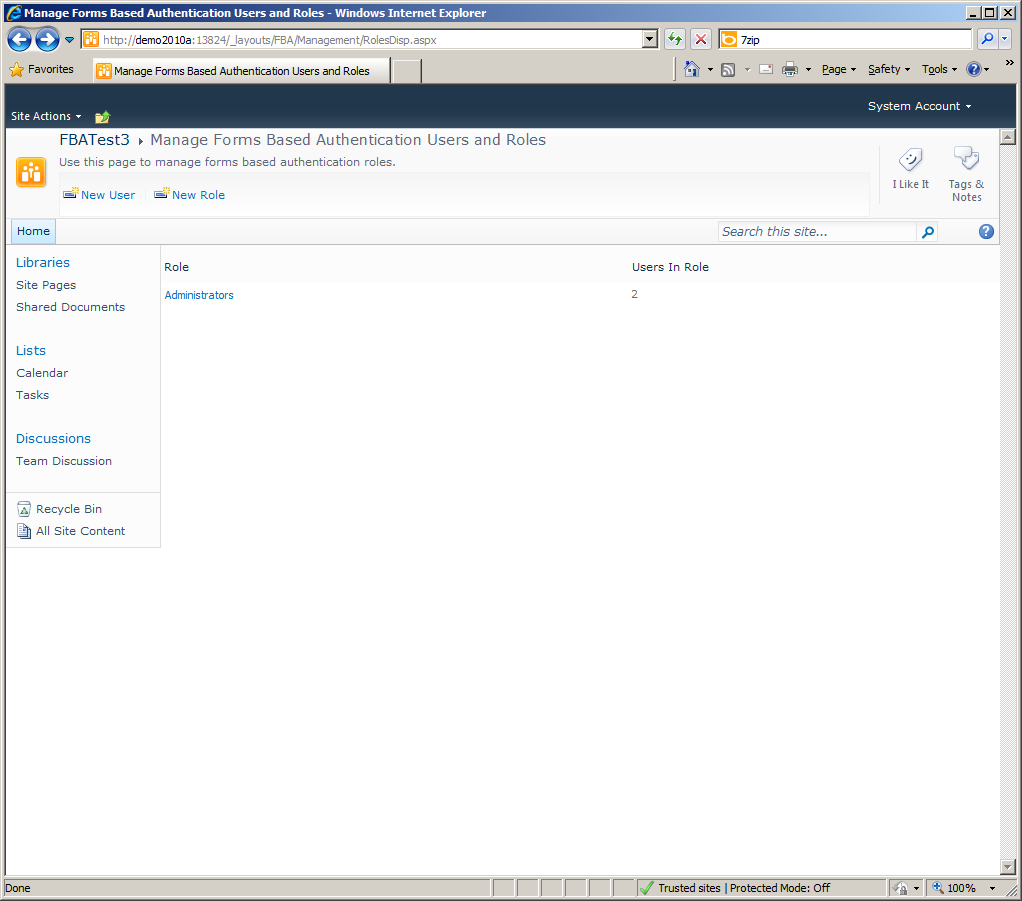
User Management
Users can be created, deleted and edited, as well as assigned to Roles or SharePoint groups.
Role Management
Roles can be created and deleted.
Change Password Web Part and Page
This highly configurable web part will allow a user to change their password. Additionally a built in Change Password page has been included, with a link to it on the users menu.
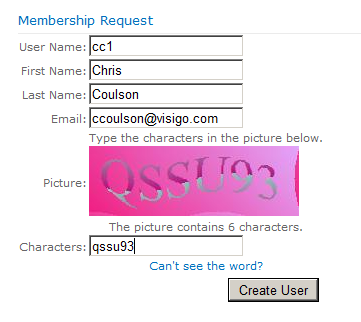
Membership Request Web Part
This highly configurable web part will allow new users to register to site. An email will be sent to the user with their temporary password and instructions to login to the site. As well there is the option to review membership requests.
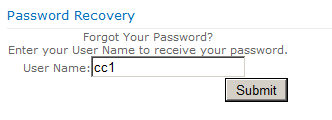
Password Recovery Web Part
This highly configurable web part will allow a user to reset their password. An email will be sent to he user with their temporary password and instructions on changing it.
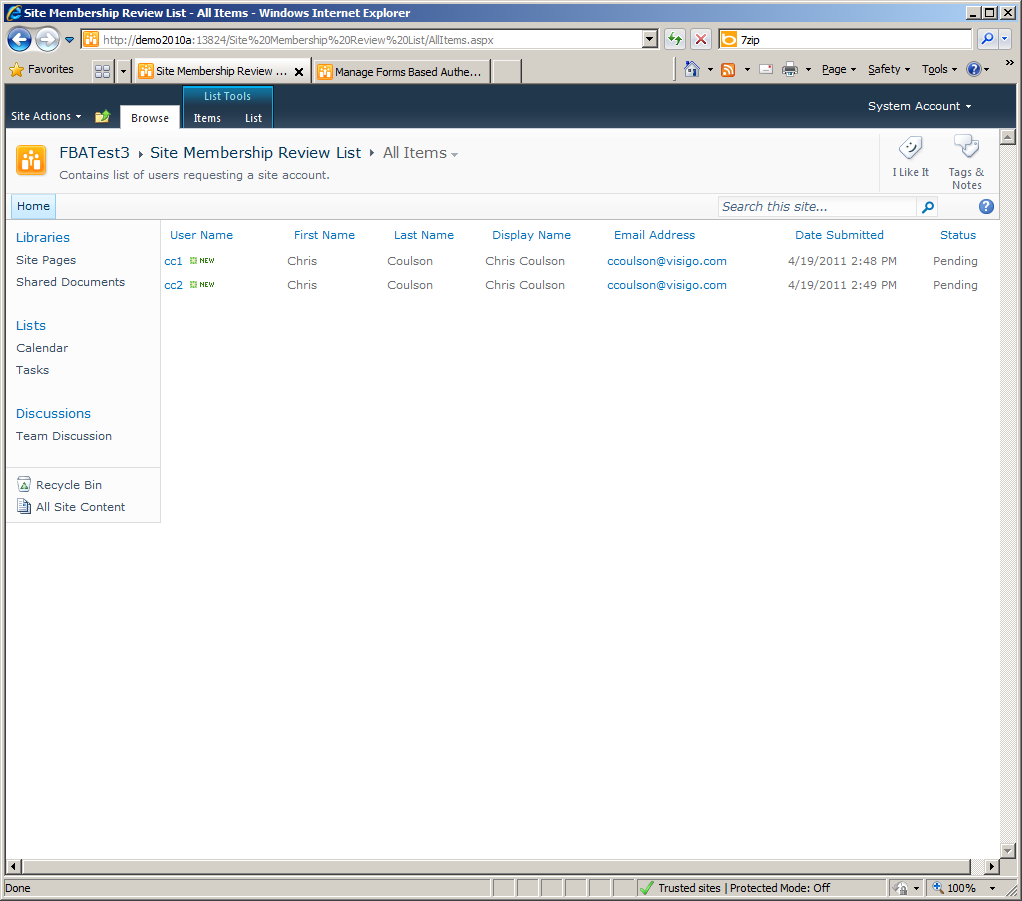
Membership Review List
The FBA Pack can be configured to allow new user requests to be moderated. The membership review list displays all new membership requests, which can either be accepted or rejected.
18 Responses to “SharePoint 2010 FBA Pack Released”
Leave a Response
Trackbacks
-
[...] You can read the full post about this tool on Chris blog here [...]
-
[...] sharepoint password reset – Google Web-log Search [...]
Subscribe
Follow on Twitter 


Is this free to use?
This is an open source project, so yes, it’s completely free to use. The source code is also available on CodePlex, so hopefully it will receive even further enhancements from the community.
This looks great, and already testing this for a customer deployment requirement.
Would you prefer feedback here or on codeplex?
Glad to hear it’s already getting some use! For any bug reports or technical questions, please post them on CodePlex.
Perfect timing on this project! I have been working on a blog series regarding extranets in SharePoint 2010, and my next post was on managing users… Thank you!
FBA manager is great! loved the 2007 version..
-Josh
Thank You! Thank You! Thank You! Thank You! Thank You! Thank You!
Hi,
Great set of webparts. We’ve installed them on our SP Foundation server and worked almost straight away. We are having problems exposing them on the login page. What I’d like is the Membership request webpart to appear on the login page. This is so we don’t have to turn on anonymous access.
Is this possible?
Thanks,
Andrew
It is. Check out the discussion board on the Codeplex site:
http://sharepoint2010fba.codeplex.com/discussions
That’s where i’m handling all of the Q&A for the FBA Pack. There’s already some posts about doing this on there, and if you have any further questions feel free to post them there.
i am not able to find the cource code,please help me……
You can download the source code from the downloads page:
http://sharepoint2010fba.codeplex.com/releases/view/77295
Or from the source code page:
http://sharepoint2010fba.codeplex.com/SourceControl/list/changesets
Hi,
Is there a way to add additional fields in user management list? for now it’s limited to username, email and full name. I wanted to add like first name and last name.
Thanks,
Davis
There’s no way to do it through configuration. You can edit the code to add the additional fields.
Read how to setup FBA
http://csharpdotnetfreak.blogspot.com/2012/08/sharepoint2010-forms-based-authentication-fba-claims.html
Hello,
Firstly let me say this, that your work is awesome. I have installed the .wsp file and it is working great. However when i downloaded the solution, I was unable to deploy the solution. Infact when i tried to Build the solution it gave me an Error COde 1. I googled it and found that the error could be resolved if i keep the solution in my C:. The Solution now gets Build and Deployed. How ever I am not able to see the Web Parts that have been deployed using the new soution.
Can u guide me through this please.?
So the release version of the FBA Pack installs fine with the deploy scripts and you are just having issues deploying it from Visual Studio?
Interesting, I haven’t heard of an Error Code 1. The only issues i’ve heard of while building the solution is if the folder is placed too deep – resulting in path names that are too long.
If it gets built and deployed fine, but you can’t see the web parts, make sure that the feature has been activated in the Site Collection you are working on (Sites Settins -> Site Collection Features).
Before you build it for the first time, you need to put a url to your Site Collection in the project properties. When VS deploys it, it will activate the feature on that site collection. So as long as you do your testing on the same site collection you enter in Visual Studio, it should already be deployed and activated there.